Second external monitor connected but screen is black Ubuntu 14.04
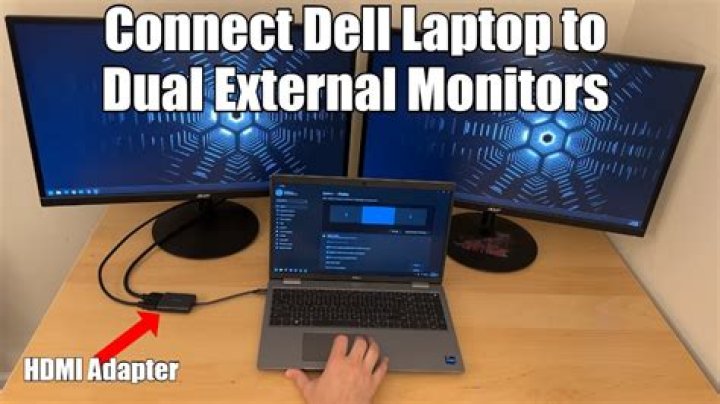
I have a strange problem with my second external monitor. It won't wake up automatically when my laptop starts, or when the laptop wakes up from standby or sleep mode. It will be on if I manually press the power button (turn it off and then on), or press the signal switch button.
The two external monitors are connected via Dual DVI cable. The primary monitor has no problem. The OS is Ubuntu 14.04 (kernel 3.13.0-59-generic). The primary monitor is ASUS VN248H, the second monitor is ASUS VS247H. The laptop is W530. The graphics card is NVIDIA® Quadro® K2000M 2GB VRAM. The NVIDIA optimus feature is disabled.
How can I fix this?
Here is the output of the xrandr (when the second monitor is still back while it is powered on)
$ xrandr
Screen 0: minimum 8 x 8, current 3840 x 1080, maximum 16384 x 16384
VGA-0 disconnected (normal left inverted right x axis y axis)
LVDS-0 connected (normal left inverted right x axis y axis) 1920x1080 60.0 + 50.0
DP-0 disconnected (normal left inverted right x axis y axis)
DP-1 connected 1920x1080+1920+0 (normal left inverted right x axis y axis) 521mm x 293mm 1920x1080 60.0*+ 1680x1050 60.0 1440x900 59.9 1280x1024 75.0 60.0 1280x960 60.0 1280x800 59.8 1280x720 60.0 1152x864 75.0 1024x768 75.0 70.1 60.0 800x600 75.0 72.2 60.3 56.2 640x480 75.0 59.9
DP-2 connected primary 1920x1080+0+0 (normal left inverted right x axis y axis) 527mm x 296mm 1920x1080 60.0*+ 59.9 50.0 30.0 60.0 50.0 1680x1050 60.0 1440x900 59.9 1280x1024 75.0 60.0 1280x960 60.0 1280x800 59.8 1280x720 60.0 59.9 50.0 1152x864 75.0 1024x768 75.0 70.1 60.0 800x600 75.0 72.2 60.3 56.2 720x576 50.0 720x480 59.9 640x480 75.0 59.9 59.9 480x576 50.0 480x480 59.9
DP-3 disconnected (normal left inverted right x axis y axis)
DP-4 disconnected (normal left inverted right x axis y axis)
DP-5 disconnected (normal left inverted right x axis y axis)
1 Answer
I was experiencing the same issue as mentioned by Piotrek (external screen connected via DP turning black randomly or not "waking up" after I locked my computer).
I solved it by going to Display Settings and checking Mirror displays. Then the screens turn on again. Now I am able to switch back to extended display mode.
0

