How to command "Ping" display time and date of ping
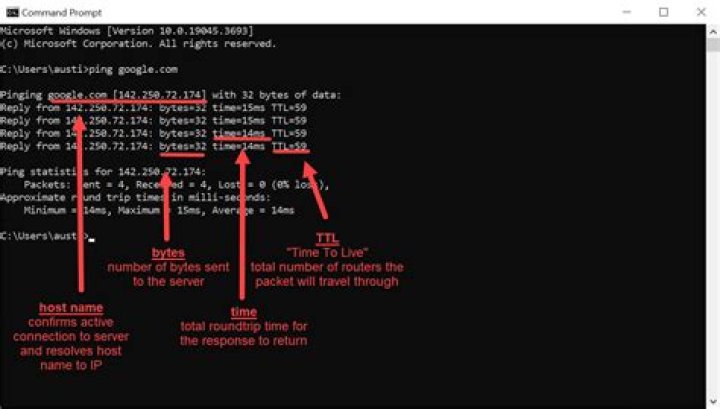
When I ping I have this display:
> ping -i 4
64 bytes from wi-in-f94.1e100.net (173.194.67.94): icmp_seq=503 ttl=46 time=45.5 ms
.......
.......
64 bytes from wi-in-f94.1e100.net (173.194.67.94): icmp_seq=508 ttl=46 time=44.9 ms
64 bytes from wi-in-f94.1e100.net (173.194.67.94): icmp_seq=509 ttl=46 time=45.1 ms
I'd like to have the time of the ping before.
Something like:
> (right functions) + ping -i 7
mardi 15 mai 2012, 10:29:06 (UTC+0200) - 64 bytes from wi-in-f94.1e100.net (173.194.67.94): icmp_seq=503 ttl=46 time=45.5 ms
.......
.......
mardi 15 mai 2012, 10:29:13 (UTC+0200) - 64 bytes from wi-in-f94.1e100.net (173.194.67.94): icmp_seq=508 ttl=46 time=44.9 ms
mardi 15 mai 2012, 10:29:20 (UTC+0200) - 64 bytes from wi-in-f94.1e100.net (173.194.67.94): icmp_seq=509 ttl=46 time=45.1 ms
How would you do this in a command line (if it's possible)?
16 Answers
Use:
ping | while read pong; do echo "$(date): $pong"; doneYou will get the result like this:
1. time from ping -D
Another possibility to use the ping -D option which gets you the timestamp as Unix time.
tilo@t-ubuntu:~$ ping google.com -D
PING google.com (173.194.33.73) 56(84) bytes of data.
[1388886989.442413] 64 bytes from sea09s15-in-f9.1e100.net (173.194.33.73): icmp_req=1 ttl=57 time=11.1 ms
[1388886990.443845] 64 bytes from sea09s15-in-f9.1e100.net (173.194.33.73): icmp_req=2 ttl=57 time=11.0 ms
[1388886991.445200] 64 bytes from sea09s15-in-f9.1e100.net (173.194.33.73): icmp_req=3 ttl=57 time=10.8 ms
[1388886992.446617] 64 bytes from sea09s15-in-f9.1e100.net (173.194.33.73): icmp_req=4 ttl=57 time=10.9 ms
^C
--- google.com ping statistics ---
4 packets transmitted, 4 received, 0% packet loss, time 3004ms
rtt min/avg/max/mdev = 10.860/11.005/11.139/0.123 ms
tilo@t-ubuntu:~$
here is a awk cmd to parse timestamp to date format:
$ ping -D 10.1.1.1 | awk '{ if(gsub(/\[|\]/, "", $1)) $1=strftime("[%F %T]", $1); print}'
PING 10.1.1.1 (10.1.1.1) 56(84) bytes of data.
[2020-04-10 19:25:08] 64 bytes from 10.1.1.1: icmp_seq=1 ttl=63 time=14.1 ms
[2020-04-10 19:25:09] 64 bytes from 10.1.1.1: icmp_seq=2 ttl=63 time=12.9 ms
[2020-04-10 19:25:10] 64 bytes from 10.1.1.1: icmp_seq=3 ttl=63 time=12.0 ms
^C
PS: awk may full-buffered with pipe, a fflush() after print will fix:
ping.ts(){ if [ -t 1 ]; then ping -D "$@" | awk '{ if(gsub(/\[|\]/, "", $1)) $1=strftime("[\033[34m%F %T\033[0m]", $1); print; fflush()}' else ping -D "$@" | awk '{ if(gsub(/\[|\]/, "", $1)) $1=strftime("[%F %T]", $1); print; fflush()}' fi
}
2. time from date
Here a version of "Achu" command with slightly different format:
ping -i 10 -c 3000 | while read pong; do echo "$(date +%Y-%m-%d_%H%M%S): $pong"; done >PingTest_2014-01-04.logThat gets you:
2014-01-04_175748: 64 bytes from sea09s16-in-f19.1e100.net (173.194.33.115): icmp_req=13 ttl=57 time=10.5 msThere is a utility called ts, which reads stdin, adds timestamps, and writes it to stdout:
me@my-laptop:~$ ping localhost | ts
Nov 08 09:15:41 PING localhost (127.0.0.1) 56(84) bytes of data.
Nov 08 09:15:41 64 bytes from localhost (127.0.0.1): icmp_seq=1 ttl=64 time=0.060 ms
Nov 08 09:15:42 64 bytes from localhost (127.0.0.1): icmp_seq=2 ttl=64 time=0.098 ms
Nov 08 09:15:43 64 bytes from localhost (127.0.0.1): icmp_seq=3 ttl=64 time=0.082 ms
Nov 08 09:15:44 64 bytes from localhost (127.0.0.1): icmp_seq=4 ttl=64 time=0.091 ms
It can be installed in Ubuntu with sudo apt install moreutils.
You can also use gawk (or awk, if your /etc/alternatives/awk points to /usr/bin/gawk):
ping -c 4 | gawk '{print strftime("%c: ") $0}'This is similar to the approach in Achu's answer, but ping's output is piped to gawk instead of a shell loop that calls date. As with that approach, it works without -c, but if you don't pass -c n to make ping stop after n pings, and you stop the loop with Ctrl+C, ping won't print the usual statistics.
ek@Io:~$ ping -c 4 | gawk '{print strftime("%c: ") $0}'
Tue 03 Jan 2017 10:09:51 AM EST: PING (216.58.193.99) 56(84) bytes of data.
Tue 03 Jan 2017 10:09:51 AM EST: 64 bytes from sea15s08-in-f3.1e100.net (216.58.193.99): icmp_seq=1 ttl=51 time=327 ms
Tue 03 Jan 2017 10:09:52 AM EST: 64 bytes from sea15s08-in-f3.1e100.net (216.58.193.99): icmp_seq=2 ttl=51 time=302 ms
Tue 03 Jan 2017 10:09:53 AM EST: 64 bytes from sea15s08-in-f3.1e100.net (216.58.193.99): icmp_seq=3 ttl=51 time=282 ms
Tue 03 Jan 2017 10:09:54 AM EST: 64 bytes from sea15s08-in-f3.1e100.net (216.58.193.99): icmp_seq=4 ttl=51 time=349 ms
Tue 03 Jan 2017 10:09:54 AM EST:
Tue 03 Jan 2017 10:09:54 AM EST: --- ping statistics ---
Tue 03 Jan 2017 10:09:54 AM EST: 4 packets transmitted, 4 received, 0% packet loss, time 3003ms
Tue 03 Jan 2017 10:09:54 AM EST: rtt min/avg/max/mdev = 282.035/315.227/349.166/25.398 ms
ek@Io:~$ ping | gawk '{print strftime("%c: ") $0}'
Tue 03 Jan 2017 10:10:35 AM EST: PING (216.58.193.99) 56(84) bytes of data.
Tue 03 Jan 2017 10:10:35 AM EST: 64 bytes from sea15s08-in-f99.1e100.net (216.58.193.99): icmp_seq=1 ttl=51 time=305 ms
Tue 03 Jan 2017 10:10:35 AM EST: 64 bytes from sea15s08-in-f99.1e100.net (216.58.193.99): icmp_seq=2 ttl=51 time=365 ms
Tue 03 Jan 2017 10:10:36 AM EST: 64 bytes from sea15s08-in-f99.1e100.net (216.58.193.99): icmp_seq=3 ttl=51 time=390 ms
Tue 03 Jan 2017 10:10:38 AM EST: 64 bytes from sea15s08-in-f99.1e100.net (216.58.193.99): icmp_seq=4 ttl=51 time=824 ms
Tue 03 Jan 2017 10:10:38 AM EST: 64 bytes from sea15s08-in-f99.1e100.net (216.58.193.99): icmp_seq=5 ttl=51 time=287 ms
^CThis happens whether ping's output is piped to gawk or a shell while loop. The reason is that command on the right side of the pipe, rather than ping, receives SIGINT when Ctrl+C is pressed, and ping does not know to print the statistics before being terminated.
If you have run ping without -c on the left side of a pipe (as shown above) and you want to terminate it in such a way that it still prints the statistics, then instead of pressing Ctrl+C in the terminal where it is running, you could run kill -INT PID from another terminal, replacing PID with the process ID of the ping command. If you're only running one instance of ping then you could simply use killall -INT ping.
Alternatively, you could replace the ping command on the left side of the pipe with a command that runs a shell, reports the process ID of that shell, and then replaces that shell with the ping command (causing it to have the same PID):
sh -c 'echo $$; exec ping | gawk '{print strftime("%c: ") $0}'Then the first line of output, will show the process ID of the ping command (which will typically be different each time). It would look like this, but with a different time and date and probably a different process ID:
Tue 20 Mar 2018 12:11:13 PM EDT: 7557Then, from another terminal, you can run kill -INT 7557, replacing 7557 with the actual process ID you saw, to terminate the ping command in such a way as to cause it to print statistics.
(If you take advantage of your shell's job control features, then you can achieve this within the same terminal, too. But if you want to copy text from your terminal without having to remove any extranous part where you ran commands in that terminal, then you should terminate ping from a separate terminal.)
Further reading:
- Alin's answer to How to derive current date and time and append at the end of each line that contain 'Hello' on Stack Overflow.
- 9.1.5 Time Functions in Gawk: Effective AWK Programming (Gawk's official reference manual).
man ping- "When the specified number of packets have been sent (and received) or if the program is terminated with a SIGINT, a brief summary is displayed."
ping google.in | xargs -n1 -i bash -c 'echo `date +"%Y-%m-%d %H:%M:%S"`" {}"'If your interested in saving it in file, then type the below command in the terminal
ping google.in | xargs -n1 -i bash -c 'echo `date +"%Y-%m-%d %H:%M:%S"`" {}"' >> "/home/name_of_your_computer/Desktop/Ping_Test.txt"You don't need to create any text files, it'll automatically do
Ping_Test.txt
2018-04-19 15:35:53 PING google.in (216.58.203.164) 56(84) bytes of data.
2018-04-19 15:35:53 64 bytes from bom07s11-in-f4.1e100.net (216.58.203.164): icmp_seq=1 ttl=57 time=23.0 ms
2018-04-19 15:35:53 64 bytes from bom07s11-in-f4.1e100.net (216.58.203.164): icmp_seq=2 ttl=57 time=38.8 ms
2018-04-19 15:35:54 64 bytes from bom07s11-in-f4.1e100.net (216.58.203.164): icmp_seq=3 ttl=57 time=32.6 ms
2018-04-19 15:35:55 64 bytes from bom07s11-in-f4.1e100.net (216.58.203.164): icmp_seq=4 ttl=57 time=22.2 ms
2018-04-19 15:35:56 64 bytes from bom07s11-in-f4.1e100.net (216.58.203.164): icmp_seq=5 ttl=57 time=22.1 ms
2018-04-19 15:35:59 64 bytes from bom07s11-in-f4.1e100.net (216.58.203.164): icmp_seq=7 ttl=57 time=23.6 ms
2018-04-19 15:36:00 64 bytes from bom07s11-in-f4.1e100.net (216.58.203.164): icmp_seq=8 ttl=57 time=22.6 ms
2018-04-19 15:36:01 64 bytes from bom07s11-in-f4.1e100.net (216.58.203.164): icmp_seq=9 ttl=57 time=22.3 ms
2018-04-19 15:36:02 64 bytes from bom07s11-in-f4.1e100.net (216.58.203.164): icmp_seq=10 ttl=57 time=26.3 ms(thanks to Achu and Eliah Kagan for the ideas) there's a way to
- add time to
pingoutput - keep footnotes of
ping - and terminate this whole construction with
ctrl+c
to do this one should instruct right part of the command (after the pipe) to ignore SIGINT using trap "" INT:
$ ping | bash -c 'trap "" INT; awk "{print strftime(\"%c - \") \$0}"'
lun 26 Mar 2018 22:05:08 +0300 - PING (173.194.73.94) 56(84) bytes of data.
lun 26 Mar 2018 22:05:08 +0300 - 64 bytes from lq-in-f94.1e100.net (173.194.73.94): icmp_seq=1 ttl=47 time=19.6 ms
lun 26 Mar 2018 22:05:09 +0300 - 64 bytes from lq-in-f94.1e100.net (173.194.73.94): icmp_seq=2 ttl=47 time=20.1 ms
^Clun 26 Mar 2018 22:05:09 +0300 -
lun 26 Mar 2018 22:05:09 +0300 - --- ping statistics ---
lun 26 Mar 2018 22:05:09 +0300 - 2 packets transmitted, 2 received, 0% packet loss, time 1000ms
lun 26 Mar 2018 22:05:09 +0300 - rtt min/avg/max/mdev = 19.619/19.866/20.114/0.284 ms

