Could not resolve hostname datanode1: Name or service not known
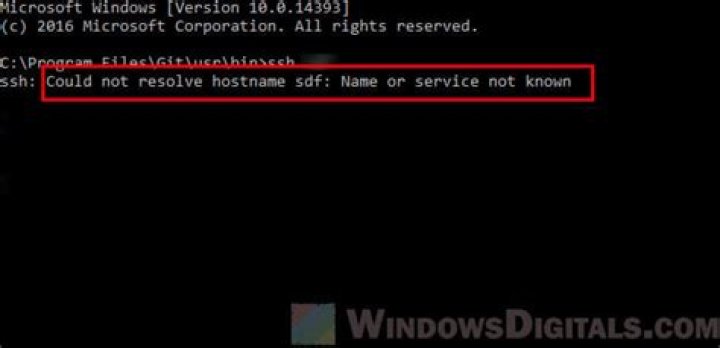
I am building an SSH connection with my namenode and two datanodes on AWS. When I try to copy the config & my .pem file from namenode to datanodes, I get the following error:
Could not resolve hostname datanode1: Name or service not known My command is:
scp ~/.ssh/hadoop-cluster-key.pem ~/.ssh/config datanode1:~/sshMy config file is
Host namenode HostName ec2-18-XXXXXXXXXXXXXXX-2.compute.amazonaws.com User ubuntu IdentifyFile ~/.ssh/hadoop-cluster-key.pem Host datanode1 HostName ec2-18-XXXXXXXXXXXXXXX-2.compute.amazonaws.com User ubuntu IdentifyFile ~/.ssh/hadoop-cluster-key.pem Host datanode2 HostName ec2-18-XXXXXXXXXXXXXXX-2.compute.amazonaws.com User ubuntu IdentifyFile ~/.ssh/hadoop-cluster-key.pemPlease help me to fix this.
81 Answer
SSH is not going to read your Hadoop configuration files for hostnames.
Put "namenode", "datanode1" and "datanode2" into your /etc hosts file on each server. Now those hostnames will resolve.
The /etc/hosts file will look like this (added content). Change the IP addresses to be your VPC private IP address for each EC2 instance.
10.0.0.10 namenode
10.0.0.11 datanode1
10.0.0.12 datanode2
Note: For production systems I would use Route 53 with private zones for DNS resolution inside the VPC.
Note: Just copying the .pem file to the .ssh directory on each server will not be enough to enable "passwordless SSH". You will also need to extract the public key from the key pair (.pem file) and add this to .ssh/authorized_keys.
The following command will extract the public key. Then "append" the contents of the public key to .ssh/authorized_keys.
ssh-keygen -y -f ~/.ssh/hadoop-cluster-key.pem > ~/.ssh/hadoop-cluster-key.pub
cat ~/.ssh/hadoop-cluster-key.pub >> ~/.ssh/authorized_keys
You will need to repeat the second command on each node of your cluster.


